Core capabilities
A complete map of what Agent A can build today. Each capability is a primitive it composes, not a thing it pretends to do.
At a glance
| Capability | What it is | Where it lives |
|---|---|---|
| Files | Real read/write/edit on a filesystem you own | ~/workspace/ |
| Database | PostgreSQL, the persistent store for everything | Three named DBs (see Data) |
| Internal web app | Members-only Flask app (the Console) | console-http, members-only |
| Public web app | Internet-facing Flask app (the public site) | site-http, separate process behind nginx |
| Connectors | Typed third-party API wrappers (Ahrefs, Slack, HubSpot, ...) | Local connector dispatcher |
| Automations | Scheduled scripts, scheduled agent runs, and trigger-driven runs | Registered automations in your workspace |
| Webhooks & triggers | Event-driven reactions to third-party signals | Connector triggers + ad-hoc |
| Skills | Reusable playbooks the agent reads on demand | ~/workspace/skills/ + platform |
| Memory | Cross-chat persistence of facts you flag | ~/workspace/.memory.md |
| Research | Web search, page fetching, multi-stage synthesis with sources | Built-in |
| LLM access | Calls to 300+ models through a local proxy | Local LLM proxy |
| File exports | PDF and PNG generation under a sandbox-safe rendering path | Built-in (see PDF skill) |
Files
Agent A has read/write/edit access to your workspace. It treats files as the output of work, not as scratch space.
- Drafts, notes, research dumps live as markdown.
- Code, generators, and one-off scripts live as
.py. - Uploads you drop into chat land in
~/workspace/uploads/and are referenced by absolute path. - Files you want to share land in
~/workspace/downloads/and are published via a registered download URL.
What it does NOT do: write outside your workspace into platform internals, change file ownership, or touch other workspaces.
Database
PostgreSQL is the only persistent store. No SQLite, no JSON-on-disk, no in-memory dicts that vanish at restart.
Three databases, each with a different audience (covered in Data & storage):
- console_db for internal tools and private state.
- site_db for content the public site serves.
- console_site_db for explicit cross-surface channels.
Internal web app (the Console)
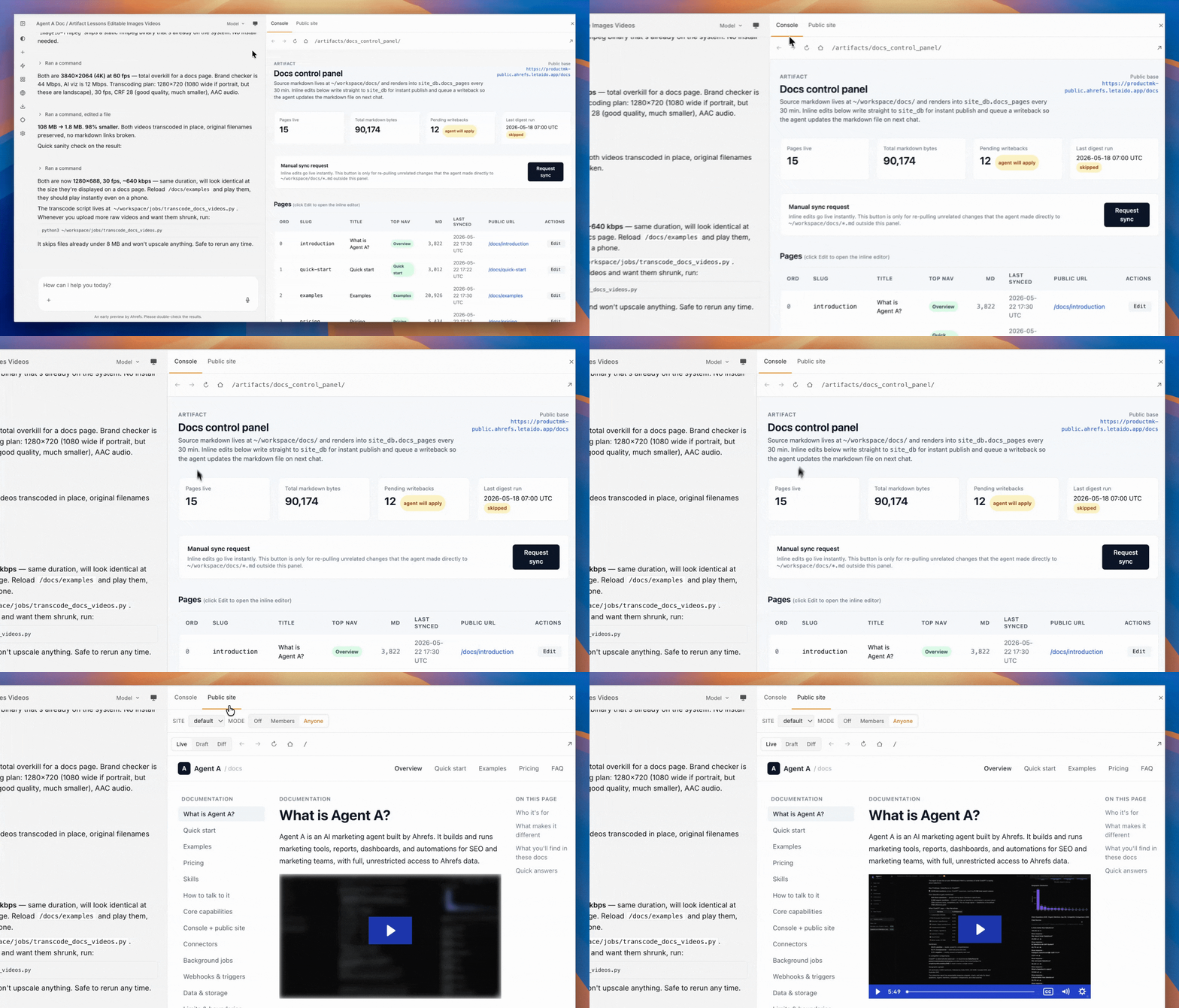
When you ask for "a page where I can paste X and get Y," the artifact is a Console application: a Python blueprint plus a Jinja template, auto-registered into a members-only Flask app.
- Routes live at predictable URLs (
/applications/<slug>/). - Pages can read from the database, call connectors, and render results.
- The app auto-restarts on file change; you never run
flask runmanually.
Public web app (the public site)
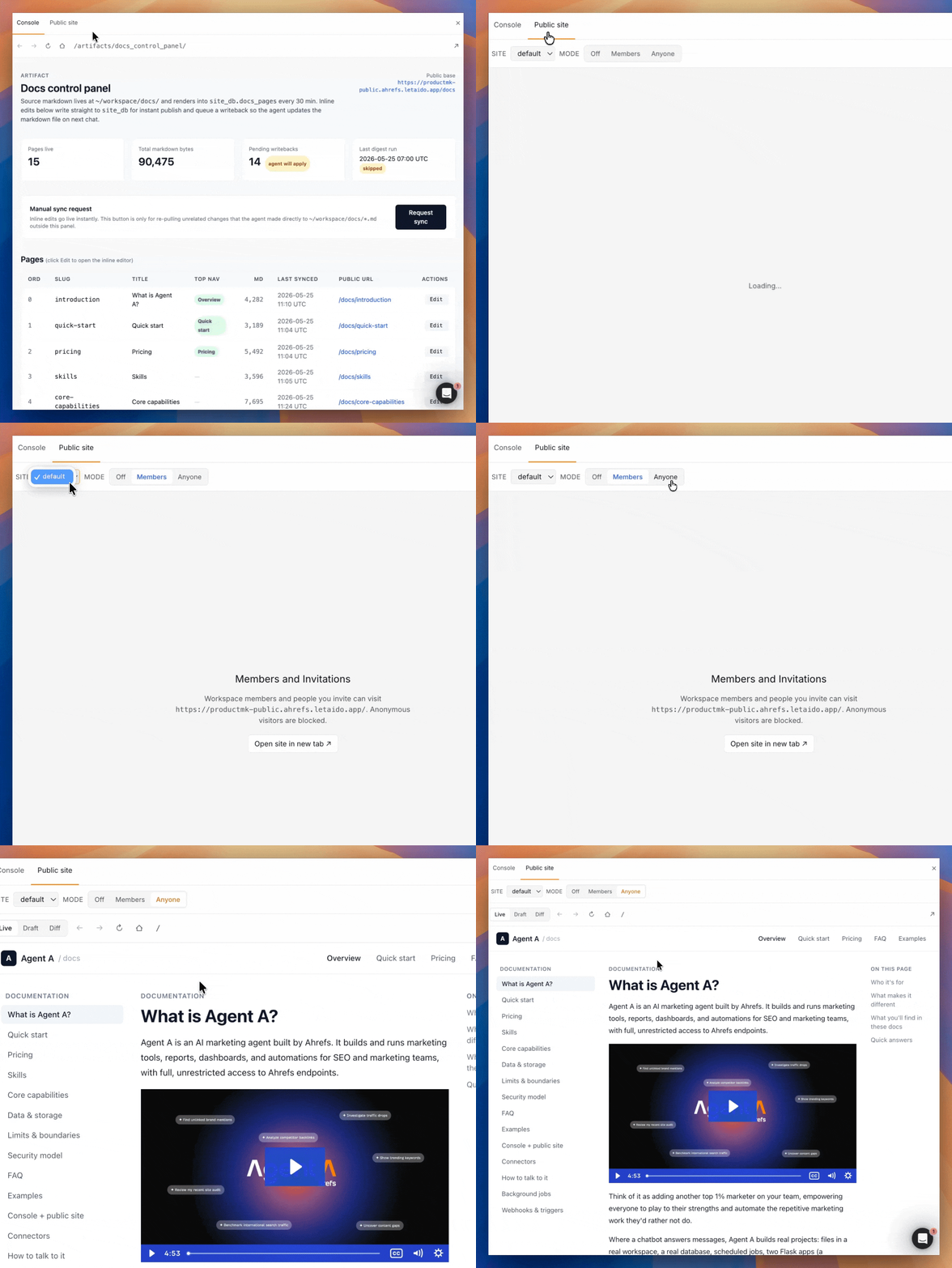
A separate Flask process serving the open internet, with its own database role and three visibility modes (off, authorized, open). This is where customer-facing pages, lead-gen flows, public reports, and these docs live.
The public site can read pre-computed data the Console writes, but it cannot reach into Console internal state. That separation is enforced at the OS and database level, not by convention.
Connectors
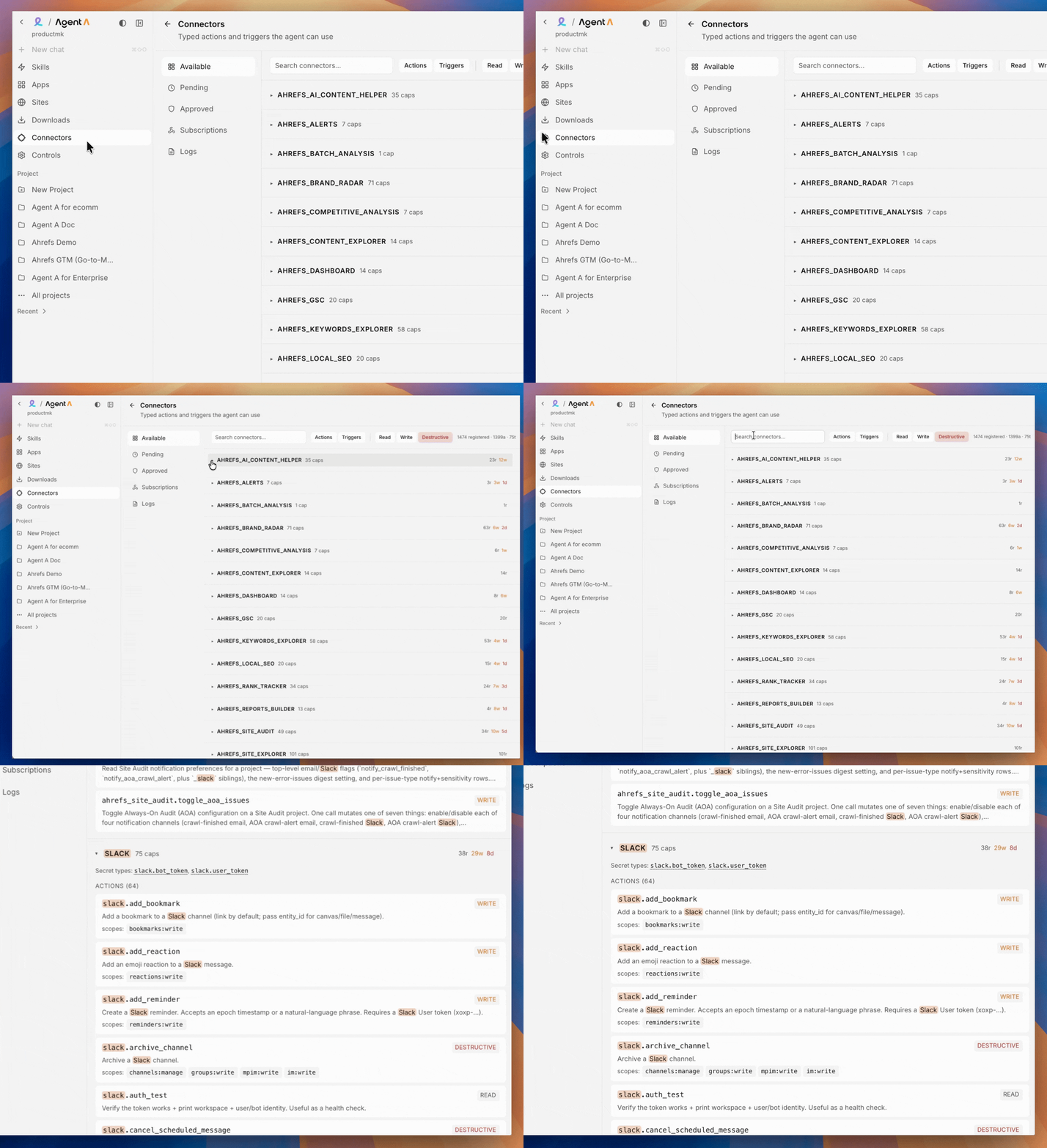
Typed wrappers around third-party APIs. Discovery is a tree (provider → category → connector), every call is logged, every credential is scoped, and every new surface (chat, Console, site) requires its own approval.
Wired today, grouped by what they're typically used for:
- SEO and marketing intelligence: Ahrefs (full suite), Semrush, Apify, Firehose.
- CRM and sales: HubSpot, Gong, Chargebee, Stripe.
- Communication and collaboration: Slack, Notion, Linear, GitHub.
- Content and email: WordPress, Mailchimp, Resend, SendGrid, Fathom.
- Data and operations: Airtable.
- Infrastructure: Cloudflare, DNSimple.
New providers are added regularly. See the Connectors tab in your workspace for the live list.
Automations
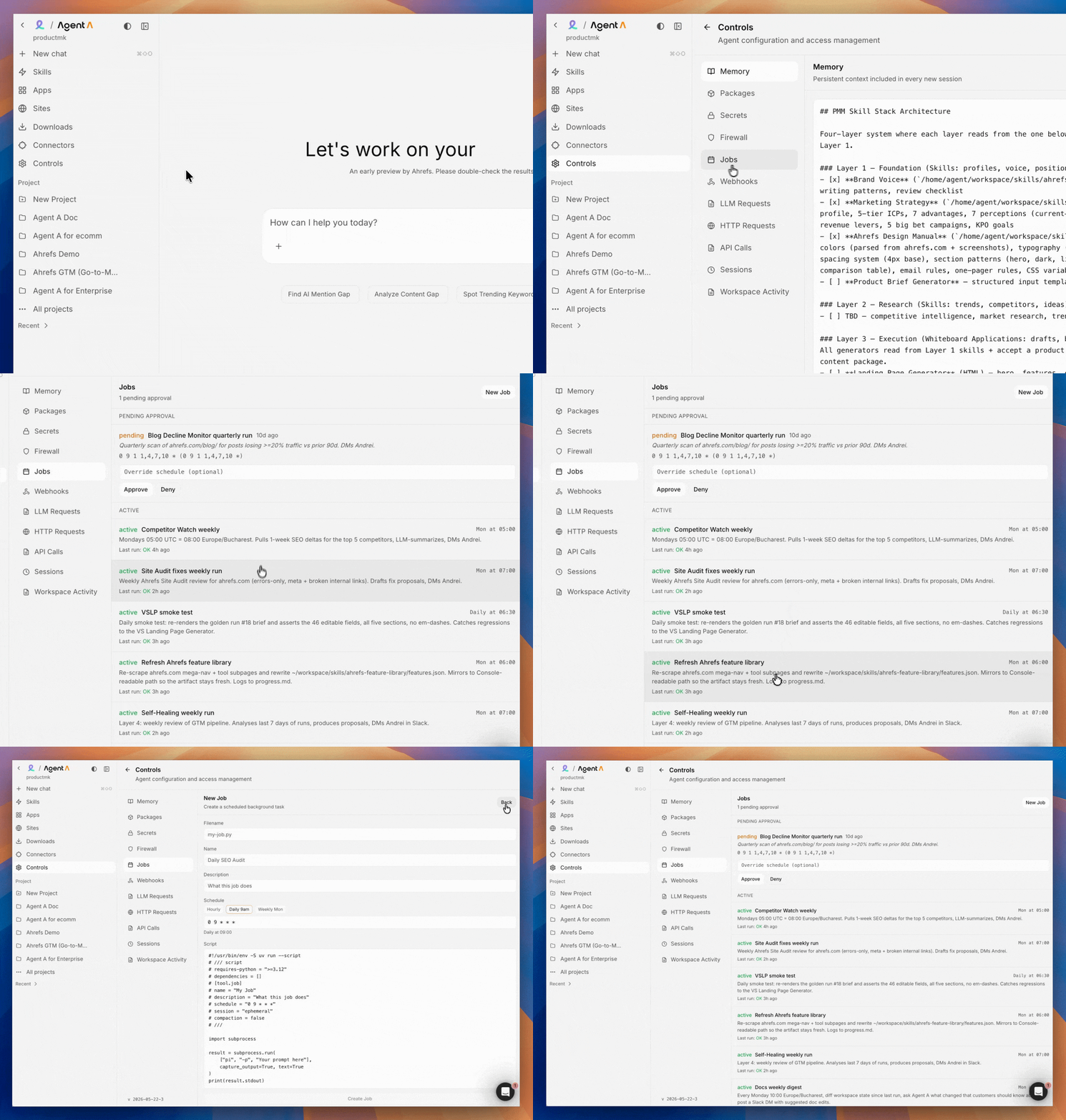
Recurring work lives as registered automations, not as "remind me later" in chat. An automation is either a Python script that runs on cron, a scheduled agent chat that runs with a fixed prompt, or a trigger-driven run that fires on a third-party event. Each one is submitted for owner/admin approval and then runs on its schedule with stdout and stderr captured for every run.
Typical asks: weekly competitor scans, daily traffic snapshots, hourly Brand Radar refreshes, Monday morning digests like the one that updates these docs.
Webhooks and triggers
Agent A can listen as well as poll. Connector triggers (Slack messages, GitHub events, Linear state changes, HubSpot record changes) deliver events into a local queue that an app or job consumes.
For services without a connector trigger, there is still an ad-hoc webhook path with explicit acknowledgement so events are not silently dropped.
Skills
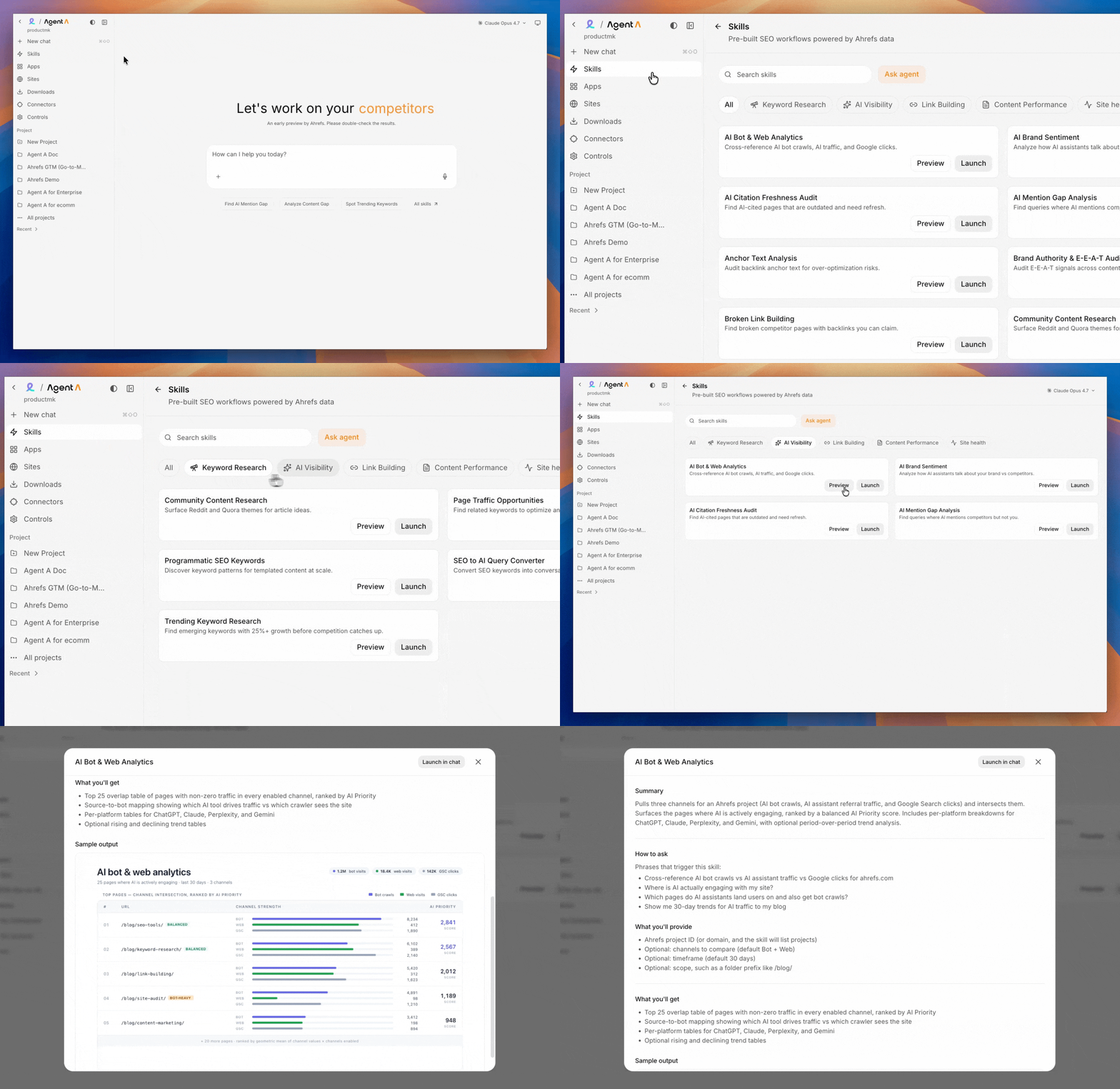
A skill is a folder with a SKILL.md file and any supporting assets. The agent reads them on demand when the task matches. Some skills are platform-shipped (Postgres, Pydantic, PDF export, web search). Others are workspace-specific and live in ~/workspace/skills/, including the brand voice, design manual, post bank, and marketing strategy for your team.
Skills are how Agent A learns your house style without it leaking into every chat as boilerplate.
Memory
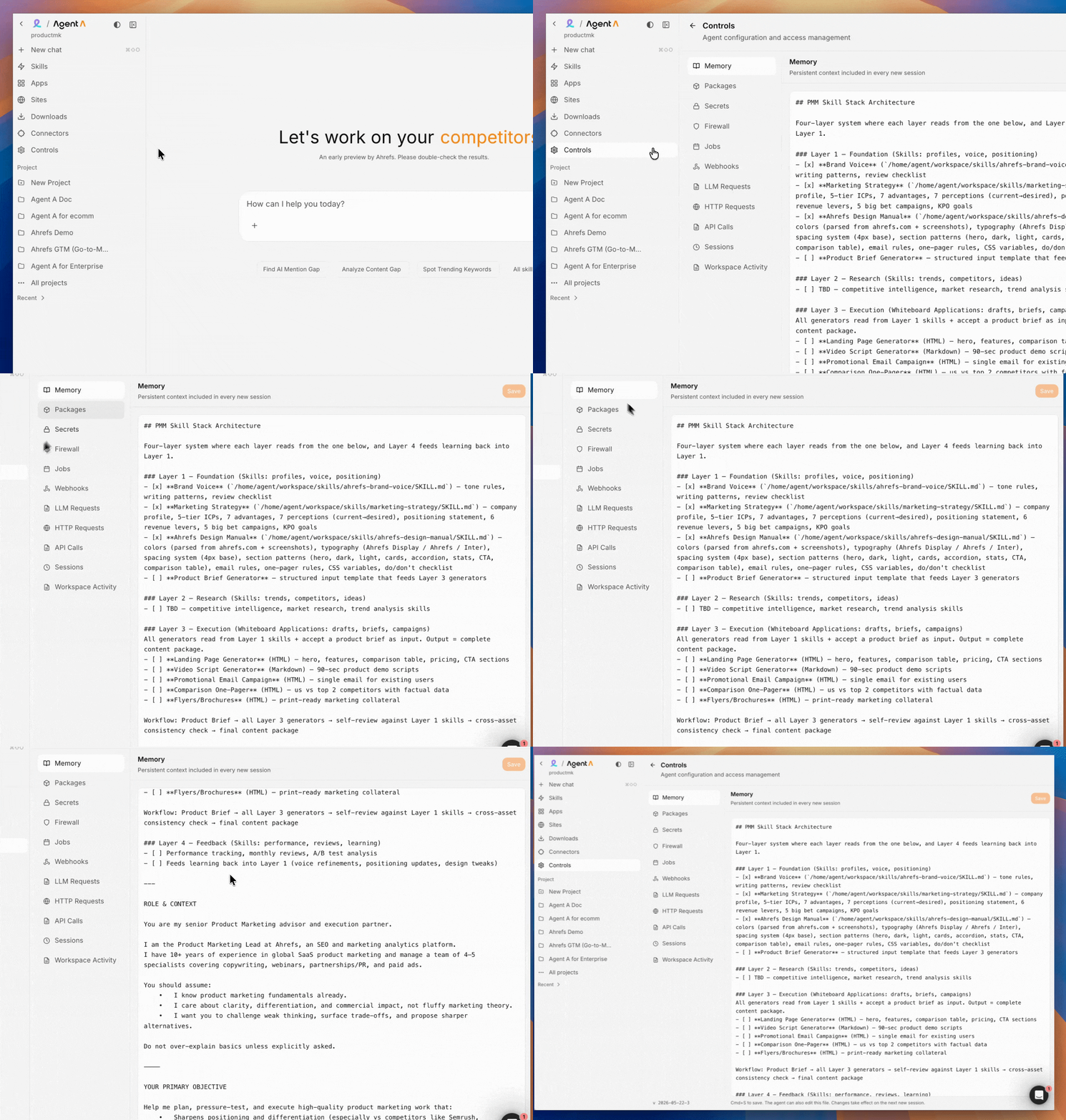
Agent A reads ~/workspace/.memory.md at the start of every chat. When you say "remember this: X," it appends. Good things to remember: role, recurring vocabulary, stylistic rules, long-term goals. Bad things to remember: anything sensitive, anything that changes weekly.
There is also a change log (progress.md) the agent appends to after each meaningful change, so you can reconstruct what happened across sessions.
Research
- Web search across the open web with highlighted excerpts (often enough; saves a fetch).
- Page fetch as clean markdown (strips ads, nav, boilerplate).
- Multi-stage research alternating search and synthesis when the task is broad.
- Reading uploaded PDFs, transcripts, decks, and pulling structured output.
Agent A cites sources by default and tells you when it could not verify a claim.
LLM access
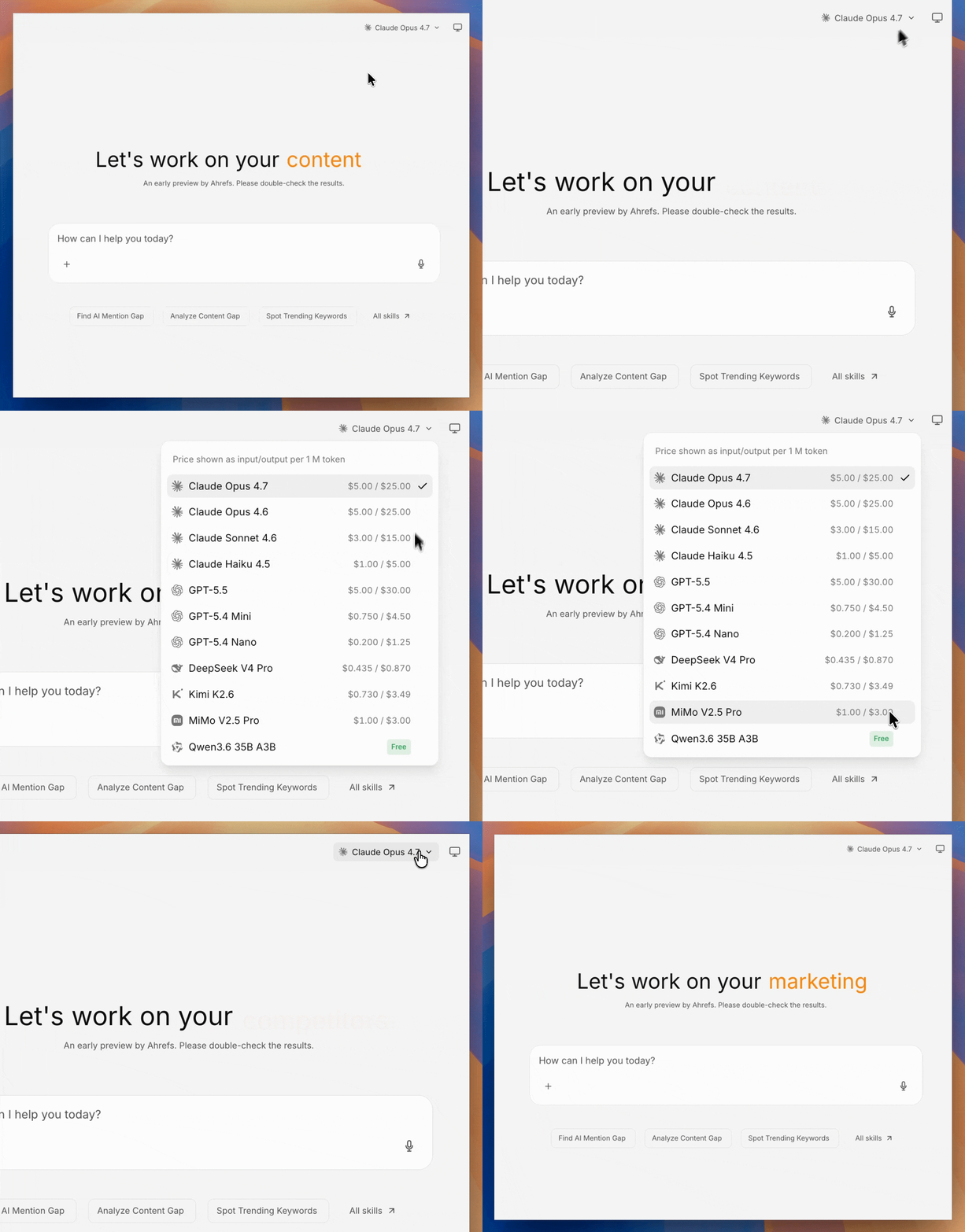
Agent A itself reasons through an LLM. It also exposes that capability to apps and jobs through a local proxy: any code can call the latest Claude, GPT, Gemini, and 300+ other models without handling API keys. This means the Console apps and background jobs the agent builds for you can themselves run AI agents and LLM calls inside them, not just the chat in which you talk to Agent A.
This is what powers things like "an app that takes a URL and returns a 90-second video script in our brand voice," or a job that classifies inbound HubSpot leads with an LLM every hour.
File exports
PDF and PNG generation under a sandbox-safe path. There is a dedicated skill that lists which libraries work inside this sandbox (Pillow, ReportLab, headless paths) and which to avoid (most web-canvas-based exporters).
If you ask for "a PDF of this report," the agent reads the skill first to pick a working route, rather than guessing.
Under the hood. Each capability above maps to a small set of primitives: a file write, a SQL query, a Flask blueprint, a cron entry, a webhook subscription, a connector invocation. The agent does not invent primitives. It composes them. That is why "build me a thing that does X every Y and notifies Z" is a reliable shape of ask.